



AI-powered website optimization for global growth
Translate your website & grow globally
The fastest way to launch a multilingual, search-ready website. Translate every part of your site—words, images and videos—with AI, refine with human edits, and publish across languages in minutes. Optimize for SEO, AEO and GEO so customers can discover you in search and AI answers.
No credit card needed
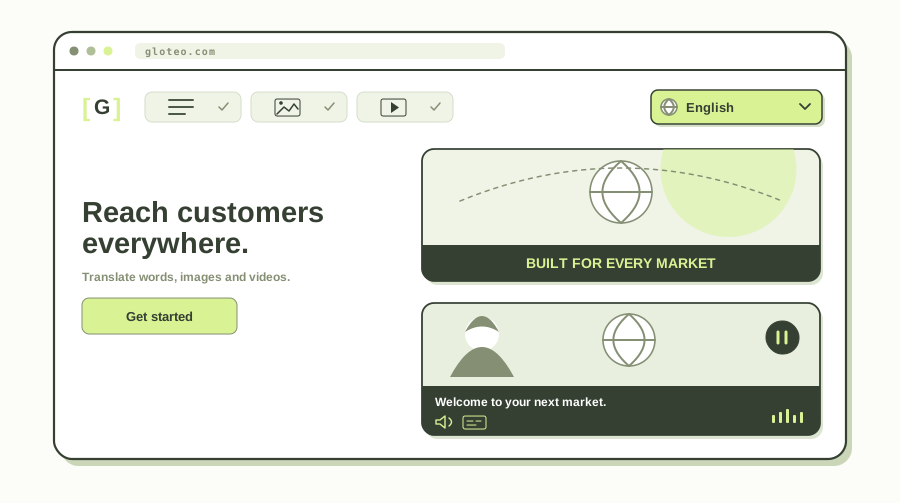
How AI website translation with GlotEO works
Connect your site once, choose languages, then translate and publish localized pages that stay aligned with your live content—ready for search engines and answer engines.
Three steps to go multilingual
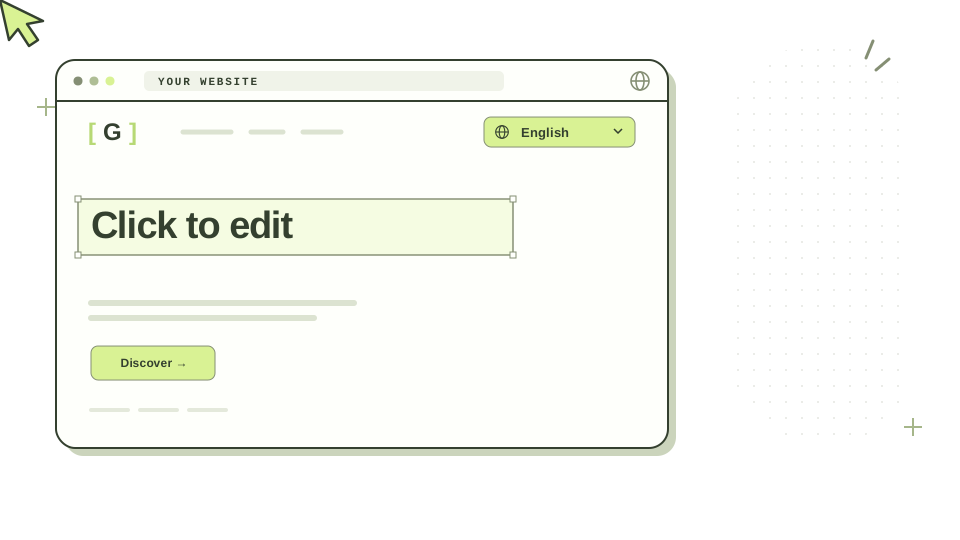
Click to edit — Open any string on the live page in the visual editor, tweak the translation in context, then publish. See the visual editor
- Connect your website — Add a lightweight JavaScript snippet or connect via DNS. Works with WordPress, Shopify, Webflow, Wix, custom code, and 40+ platforms.
- Translate with AI — GlotEO detects page content and translates it into the languages you choose, with translation memory so repeat segments are not billed twice.
- Review and publish — Edit on the live page with the visual editor, lock brand terms in a glossary, optionally assign human reviewers, then publish localized pages with SEO signals in place.
Built for SEO, GEO & AEO
GlotEO optimizes every localized page for traditional search, generative AI discovery and answer engines.
Multilingual SEO
Localized URLs, hreflang, and translated metadata so Google can index the right page for the right language and market.
Multilingual AEO
Clear headings, locale-accurate copy, and answer-ready structure so AI overviews and answer engines can cite your content in every language.
Website localization
Go beyond string swaps—adapt tone, currency display, media text, and on-page experience for each locale your visitors expect.
In-context visual editor
Click any text on the live site to refine translations where customers see them—faster QA than spreadsheets or exported string files.
Who uses GlotEO for website localization
Ecommerce
Localize product pages, checkout copy, and policies while keeping hreflang and metadata aligned so shoppers—and search engines—find the right language version.
Government
Publish programs, permits, and notices in the languages residents speak—without cloning entire sites or losing one authoritative source of truth.
Education
Translate admissions, calendars, and family portals so students and caregivers see the same deadlines and resources in their preferred language.
Internal apps
Add multilingual UX to employee tools and SaaS surfaces with one embed or DNS route—so HR, ops, and support stay readable for global teams.
Marketing
Launch localized landing pages fast, then refine headlines in context so campaigns stay on-brand while you test new regions.
Product & engineering
Ship with a JavaScript snippet for speed or DNS routing for edge performance—without rebuilding your stack or losing release control.
Web agencies
Offer multilingual launches on a repeatable pattern: one integration for many clients, with room for translator review before handoff.
Language service providers
Let linguists review on the real page—not exported strings—so human edits, glossaries, and translation memory match what visitors see.
Website translation features that keep quality and cost under control

From AI translation and glossary control to SEO-ready URLs and media localization—everything you need to go global without rebuilding your site.Browse all features
100+ languages
Translate your website into 100+ languages with AI that keeps context across pages, menus, and product copy.
Visual editor
Edit translations on your live website—click any text to refine wording where visitors will see it.
Translation memory
Reuse previously translated segments automatically so you do not pay twice for the same content.
Glossary control
Lock brand names, product terms, and preferred phrasing so every language stays consistent.
Text-in-image translator
Translate text inside images while preserving layout and messaging for banners and product graphics.
Video translator
Localize on-site video content so media matches the language of each page version.
URL translation
Publish localized, SEO-friendly URLs and paths for each language so users and crawlers find the right page.
SEO-optimized translations
Translate meta tags and support hreflang so each language version can rank in local search results.
Currency converter
Show prices in visitors’ local currency based on language or location for a clearer buying experience.
Localized translation
Adapt tone and phrasing for each locale—not just word-for-word swaps—so content feels natural to local readers.
Website translation FAQ
Straight answers about GlotEO, multilingual SEO, AEO, integrations, and pricing.
What is GlotEO?
GlotEO is AI website translation and localization software. It helps teams publish multilingual websites with a visual editor, glossary control, translation memory, human review options, and built-in multilingual SEO and AEO foundations—without rebuilding their site.
Does GlotEO translate images and video as well as page text?
Yes. GlotEO translates on-page words, text inside images while keeping original design elements such as layout, colors, and composition, and video through AI dubbing and localized audio. You can also assign human-reviewed translations when you want linguists to check quality before you publish.
Do I need to rebuild my website to go multilingual?
No. Most teams add GlotEO with a JavaScript snippet, DNS connection, or CMS integration and keep their existing design, hosting, and tech stack.
How does GlotEO help with multilingual SEO?
GlotEO supports localized URLs, hreflang signals, and translated metadata so each language version can be crawled and ranked for the right market instead of competing as duplicate English content.
What is AEO, and how does GlotEO support it?
AEO (answer engine optimization) means structuring content so AI overviews and answer engines can extract clear, trustworthy answers. GlotEO helps by keeping locale-accurate copy, headings, and page structure aligned in every language so models have cleaner source material to cite.
Which platforms does GlotEO support?
GlotEO works with WordPress, Shopify, Wix, Webflow, BigCommerce, Squarespace, Drupal, Framer, HubSpot, custom code, JavaScript sites, and 40+ other platforms. See the integrations hub for setup details.
How is pricing calculated?
GlotEO starts free with lifetime translation allowances, then paid plans include monthly words, image translations, and video minutes. Previously translated content does not consume your allowance again. See the pricing page for current plans and overages.
Can I control brand terms and keep translations consistent?
Yes. Glossary rules lock preferred translations for brand and product names, and the visual editor lets reviewers fix wording on the live page before publish.
How fast can I launch a multilingual website?
Many teams connect a site and publish first languages the same day. Timeline depends on how many languages you enable and how much human review you want before going live.